Open source CV tooling for developers
One base CV. Infinite targeted variants. Zero duplicates.
Your job search shouldn't end in cv-final-final-v7.pdf.
VITA keeps one LaTeX source in Git, makes a branch for each role, and
helps you find what to change before you build the PDF.
uv tool install vita-cv==2.0.2Free CLI. No VITA account required. Python, Git, and LaTeX tooling required; external AI may cost extra.
Built by Abdellah Hallou (opens in new tab). Open the working sample PDF (opens in new tab). See public download history (opens in new tab).
From the downloadable starter
The branch, the diff, the PDF.
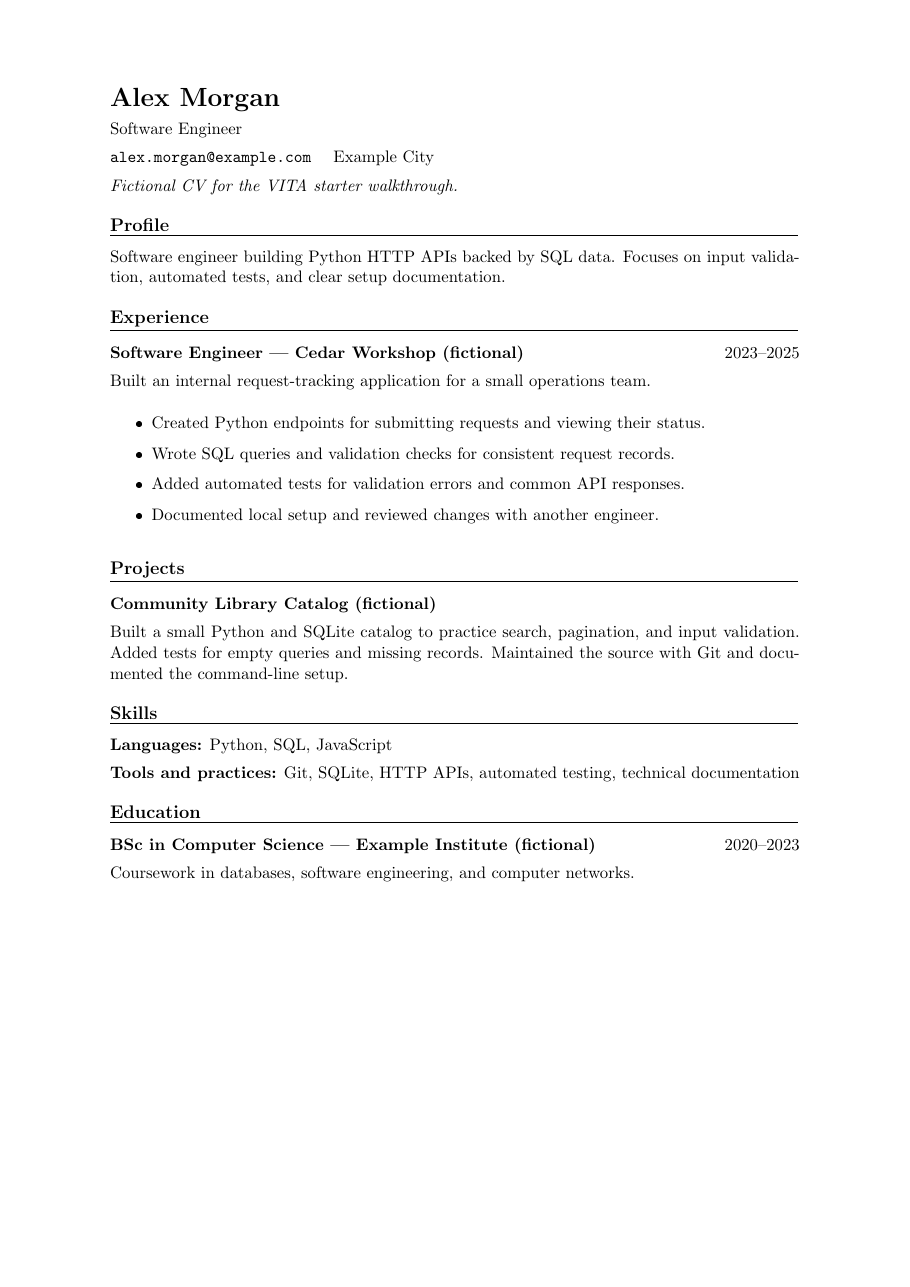
The sample on the right was built from the downloadable fictional starter. Make a role branch, change the LaTeX, and inspect the PDF before sending it.
# After committing your base CV:
vita new etp company "software engineer"
# Accept gen-swe at the interactive base-branch prompt.
# Edit main.tex with your tailored content.
git diff
# Review the LaTeX changes before building.
vita build
# Opens out/cv-jordan-lee.pdf — inspect before submitting.
vita status
Branch structure
Branch master, with child gen-swe (base branch), which has two children: etp-company-swe and etp-next-role-swe.
Six moves from base CV to a role-specific PDF.
One committed base CV, then a fresh path for each role. VITA can prepare AI prompts for the middle steps; you choose what to change and inspect the PDF before it leaves your machine.
-
Branch for the role
Start from one committed CV. Each application gets its own branch, and your base stays intact.
-
Add the job description
Keep the role’s requirements beside the CV, so every edit has a clear target.
-
Spot the gaps
Compare the posting with your experience. See what fits and what still needs evidence.
-
Adapt what is true
Bring the relevant work forward in your summary, skills, and experience. Keep the facts.
-
Review every line
Inspect the changes and catch invented claims before they make it into the final version.
-
Build, then send
Compile locally. Check the layout and dates, then send the PDF you actually reviewed.
Show the job. Find the gap. Rewrite with receipts.
A job description asks for Python HTTP APIs, SQL, validation, and tests. The fictional starter CV already shows that work in its experience section; the original summary barely mentions it. VITA's analyze and adapt prompts bring the evidence and the requirements together.
What the posting asks for
“Implementing Python HTTP APIs, writing SQL queries, adding automated tests.”
What the CV already proves
Python endpoints, SQL queries, validation checks, and tests are already in the experience bullets.
Deployment pipelines are only “nice to have” in this example. No evidence? Leave them out.
- Software engineer with experience in Python services, SQL data, automated tests, and developer documentation.
+ Software engineer building Python HTTP APIs with SQL, input validation, and automated tests.
This edit comes from the fictional starter walkthrough; it is an example of a truthful change, not a recorded model response. Without --auto, VITA writes prompts to .vita/current_prompt.md and does not edit the CV. With a configured provider, vita run --auto can run analyze → adapt → review and update main.tex. Commit first, then inspect the diff.
The CV is a project, not another upload.
Write your experience in main.tex, keep the job posting in job.md, and use Git for history. VITA builds the PDF on your machine. There is no VITA account between you and your files.
If you want to leave, you still have the LaTeX and the Git history. That's the point.
main.tex your CV source job.md the role you're applying for .vita/ local settings and prompts out/ the PDF you inspect A job branch won't overwrite your base CV.
A company and role get their own branch. vita status shows what you've made; vita diff compares committed LaTeX changes with the base. VITA also warns if you've already made a variant for that company.
No guessing which PDF was for which job. The branch tells you.
master one base CV └─ gen-swe software engineering base └─ etp-company-swe one application branch A job search needs more than one magic prompt.
The standard flow calls on job analysis, resume tailoring, ATS optimization, and review skills. The package also includes separate skills for interview preparation and salary negotiation. Use the prompts yourself, or configure a supported provider for automatic execution.
The skills guide suggestions. Your experience still has to be real.
job-description-analyzer resume-tailor resume-ats-optimizer resume-reviewer interview-prep-generator salary-negotiation-prep Already have a CV tool? Here's the difference.
A template solves layout. VITA handles the messy part after that: which version went to which role, what the posting actually asked for, and what changed before you sent it.
| If you use... | What it does well | What VITA adds or changes |
|---|---|---|
| A LaTeX template + ChatGPT | Full control over the document and whatever prompts you write. | VITA adds a branch and registry for each application, plus analyze → adapt → review prompts tied to the job.md beside your CV. |
| RenderCV (opens in new tab) | Write structured YAML and render a polished PDF with Typst. | VITA is for an existing LaTeX CV and a Git-first, company-by-company workflow with optional AI prompts. |
| Teal (opens in new tab) | A browser resume builder with job tracking and matching tools. | VITA keeps your CV project in local files and builds the PDF with your own LaTeX setup. |
| Overleaf (opens in new tab) | Edit, compile, and collaborate on LaTeX documents online. | VITA adds local role branches, an application registry, and job-specific AI steps around the LaTeX source. |
Bring Git and LaTeX. Start with the sample.
You'll need these tools for a local PDF build. The fictional starter gives you something real to compile before you replace it with your own CV.
- Git (opens in new tab)
For branching, committing, and diffing your CV source.
- Python and uv (opens in new tab)
uv is the recommended installer for VITA CV.
- LaTeX and latexmk (opens in new tab)
Required for PDF compilation. Install TeX Live (Linux/macOS) or MiKTeX (Windows) and ensure latexmk is on your PATH.
A few things worth knowing.
The questions I'd ask before trusting a new tool with my CV.
Why not just use ChatGPT?
You can. I wanted the bits around the prompt too: a branch for each application, the job description beside the CV, a repeatable analyze → adapt → review sequence, and a diff I can inspect before building. ChatGPT can help write a bullet; a chat response won't tell you which LaTeX commit you sent to a company.
Will the sample PDF work with ATS systems?
Yes. The downloadable sample CV uses a simple, single-column, text-based layout with conventional section headings. That's the safest, most tested layout for ATS compatibility
Can I keep the LaTeX CV I already use?
Yes. Point VITA at your LaTeX entry file; the default is main.tex.
The automatic adaptation path reads and writes that file, so a template split across
included files needs extra care. The manual prompt workflow lets you make the edits
in whichever files your CV uses.
Does the AI rewrite my CV without asking?
No. Run vita analyze, vita adapt, or
vita review without --auto and VITA only writes a local
prompt file. You choose an assistant and apply edits yourself. If you opt into
--auto with a configured provider, adaptation can update
main.tex. Commit your base first and inspect git diff.
Where does my CV go when I use AI?
Local builds, Git commands, and prompt generation don't call a VITA server.
If you run --auto, the configured AI provider receives relevant CV
and job context. If you paste a prompt into another assistant or push your repo,
you're sharing what you send there.
Do I need LaTeX before I can try it?
For a PDF build, yes: install LaTeX and latexmk. The
starter ZIP gives you a working
fictional CV, so you can get a build before replacing it with your own history.
What does it cost?
The VITA CLI is free and open source. You can branch, write prompts, and build locally without a VITA account. Automatic AI depends on the provider you configure; that provider may charge for use.